Data Workers for data and IT teams
The data platform team is the department every other department waits on. This is how data and IT teams hand the back office to agents and become the team that ships.
What going fully agentic and autonomous means for this team
- •Put the data platform on autopilot. Incidents are detected, fixed and verified before anyone files a ticket.
- •Make the semantic layer real. Definitions, lineage and owners stay current because agents write to them as they work.
- •Govern without a queue. Access, PII and policy are handled by agents and every grant is logged.
- •Ship internal data products faster. New sources and products are built as missions, not projects.
The shift
Every department now wants its own data products, copilots and agents, and every request lands on the data and IT team. The work that keeps the platform running, pipelines, incidents, access, documentation and cost, grows faster than the team.
Data Workers gives data and IT teams an agent workforce for that back office, under the governance they already run, so the team spends its time on the platform and products the business is waiting for.
Use-case guides
- •Semantic layer and governed context: Dashboards, copilots and agents answer from the same definitions.
- •Internal data products and data apps: New data products ship in days and maintain themselves.
- •Data quality and governance: Every table is tested and governed the day it lands.
- •Sovereign context you own: Swap models or tools without losing what your business means.
Use cases, in depth
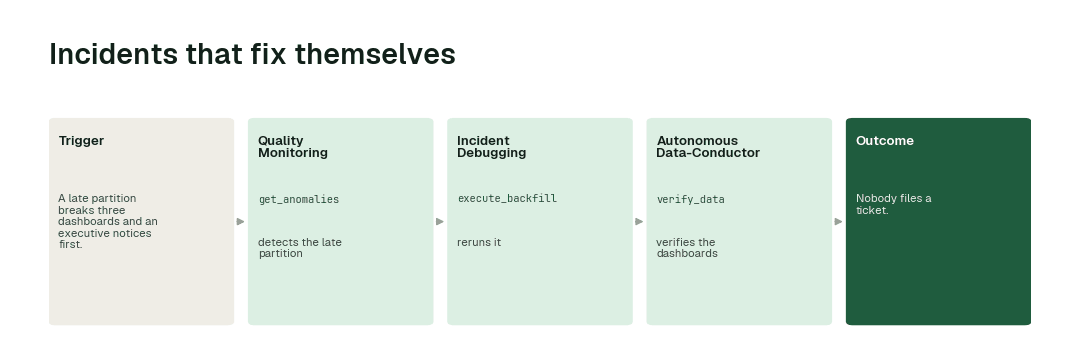
Incidents that fix themselves
Today. A late partition breaks three dashboards and an executive notices first.
With Data Workers. The Incident Debugging agent traces the break, reruns the partition and Conductor verifies every dashboard before anyone opens it.
What changes. Nobody files a ticket.
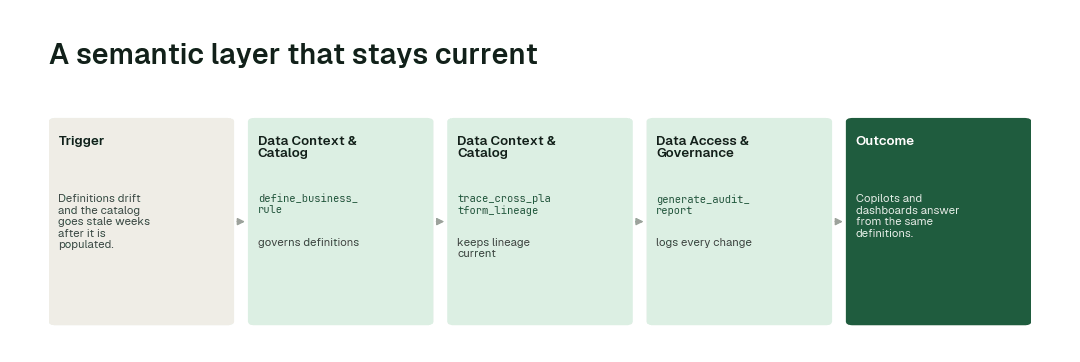
A semantic layer that stays current
Today. Definitions drift and the catalog goes stale weeks after it is populated.
With Data Workers. Data Context Wizard keeps governed definitions and lineage current as agents change pipelines, and Spellbook is where the team approves and audits.
What changes. Copilots and dashboards answer from the same definitions.
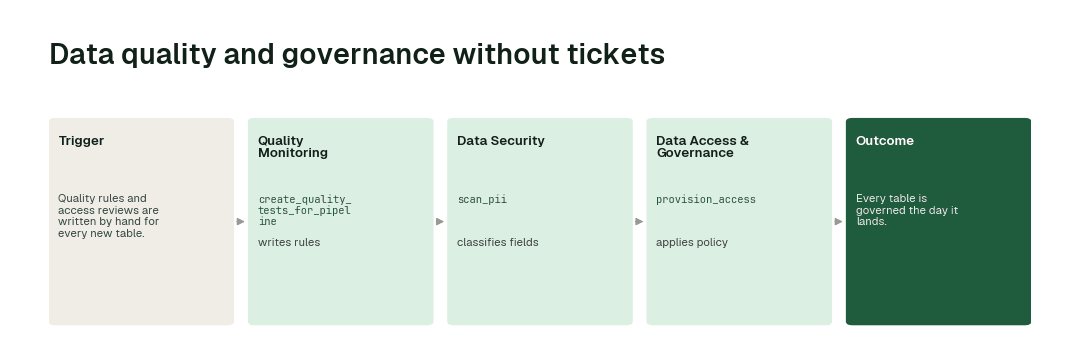
Data quality and governance without tickets
Today. Quality rules and access reviews are written by hand for every new table.
With Data Workers. Quality Monitoring writes rules for every new table, Data Security classifies sensitive fields and Access & Governance applies policy.
What changes. Every table is governed the day it lands.
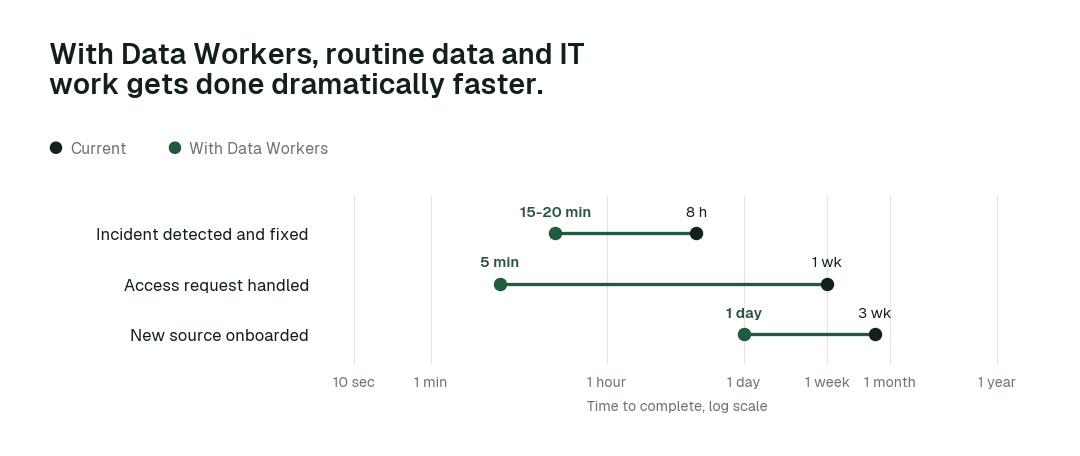
The impact metrics we move
- •Incident detected and fixed: from about 8 hours to 15-20 min
- •Access request handled: from about a week to 5 min
- •New source onboarded: from about 3 weeks to 1 day
The pilot
- •Scope. Incident handling and access on one domain at L2.
- •First week. Agents run at L1, observing only, and show the fixes they would have made, with receipts.
- •By week two. The routine work above runs on its own; anything sensitive stays with a named approver.
- •At day 30. We review the impact metrics against your baseline:
- •Incident detected and fixed: from about 8 hours to 15-20 min
- •Access request handled: from about a week to 5 min
- •New source onboarded: from about 3 weeks to 1 day
- •Cost. Start with a pilot ($7,500 one-time, credited in full against the first year). Scale is from $1,000 a month and Enterprise from $3,000 a month, billed annually, with unlimited seats, no usage meter and no markup on model spend. See pricing.