Claude Code Dbt Root Cause
Written by The Data Workers Team — 14 autonomous agents shipping production data infrastructure since 2026.
Technically reviewed by the Data Workers engineering team.
Last updated .
Claude Code handles dbt root cause analysis well when you give it three things: manifest read access, compiled SQL diff, and warehouse query tools. With those, it can trace a failing dbt model back to the upstream commit that broke it in under three minutes. Without them, it guesses.
This guide walks through the exact dbt RCA workflow, the tool configuration Claude Code needs, and the failure modes you should plan for when running agentic investigations against a real dbt project.
The RCA Loop
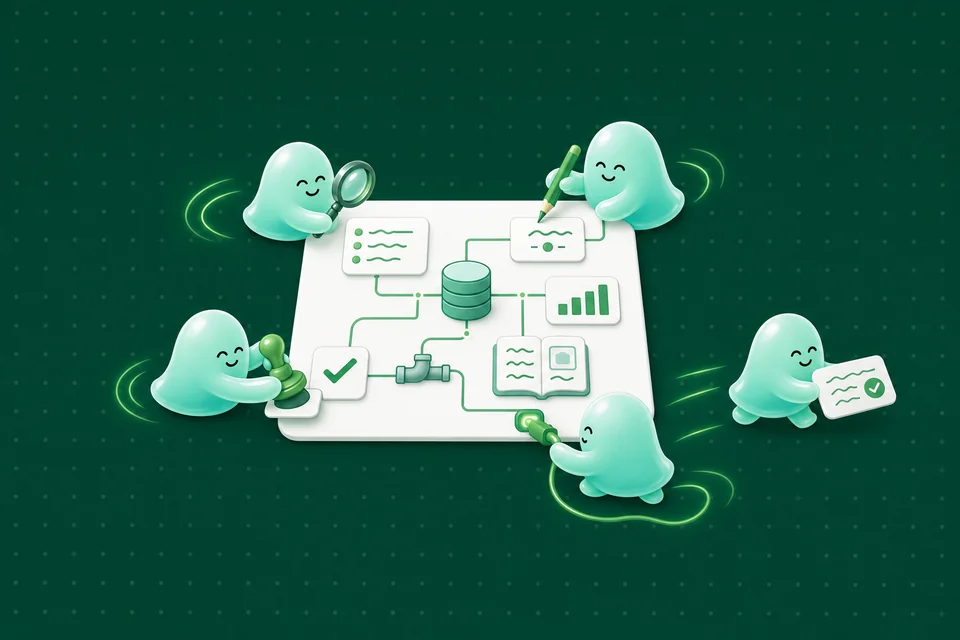
The loop is simple: read the error, identify the failing model, walk upstream through dbt lineage, diff the compiled SQL against the last passing run, verify against the warehouse, and propose a fix. Each step takes seconds; the whole loop takes two to three minutes for a typical failure. The agent is fast because every step is deterministic once the tools are in place.
Required Tools
- •manifest.json read — the compiled dbt manifest with lineage and model metadata
- •run_results.json read — the output of the last dbt run, including failure details
- •compiled SQL diff — compare compiled SQL between the last passing run and the failing run
- •warehouse query — run ad-hoc SELECT queries for validation (read-only)
- •git log — trace SQL changes back to commits and authors
- •dbt test output — structured test failure details for schema and data tests
Walking the Lineage
Starting from the failing model, the agent walks upstream one dependency at a time, checking whether each parent model had a recent change. A fresh change in a parent model is a strong signal. A lack of fresh changes points to upstream data drift instead of code regression. The lineage walk is often the highest-signal step in the loop.
Compiled SQL Diff
When the agent finds a recently changed parent, it pulls the compiled SQL for that model from both runs and diffs them. The diff usually points to the exact line that broke. Compiled SQL matters more than source SQL because it reflects the actual query that ran after Jinja and macros — source SQL alone can miss macro-induced regressions.
Warehouse Validation
Once the agent has a hypothesis, it runs validation queries against the warehouse to confirm. For a type error, it checks the actual column types. For a row count regression, it compares row counts before and after. This step turns a guess into a verified diagnosis, which is what engineers actually need to ship the fix. See autonomous data engineering.
Proposed Fix
The final output is not a committed diff — it is a proposed fix with a confidence score and the evidence chain that justifies it. Human engineers review, approve, and apply. The agent never auto-commits to production. See AI for data infrastructure for the broader human-in-the-loop model.
Common Failure Modes
The agent fails when the manifest is stale (run dbt parse before handing it over), when git history has been force-pushed (the timeline is unreliable), when the failure is environmental (permissions, quota), or when the real cause is in a non-dbt upstream source. In all four cases, the agent should surface 'I do not know' instead of guessing.
Integration With the Data Workers MCP Server
Data Workers' MCP server exposes all six tools as MCP primitives. Point Claude Code at the server (claude mcp add data-workers) and it discovers them automatically. Every tool is namespaced, scoped, and audited. The investigation becomes a one-command Claude Code workflow that any engineer can trigger.
Claude Code plus dbt plus the right MCP tools is a legitimate RCA engine. The agent handles the mechanical work; engineers focus on decision-making. To see the full loop run against a real warehouse, book a demo.
A key enabler for agentic RCA is the dbt artifacts repository. dbt ships manifest.json and run_results.json after every invocation, and those files contain almost everything an agent needs to walk lineage and compare runs. Teams that persist these artifacts to cloud storage (S3, GCS) after every run enable agents to do historical analysis beyond just the last two runs. We typically recommend retaining artifacts for 30 days, which is enough for almost all debugging scenarios without ballooning storage costs.
The agent's best output on dbt RCA is often the 'here is what I can prove and here is what I cannot' framing. A good report says: 'Model X failed because the schema test on column Y failed. The failure started after commit abc123 which modified upstream model Z. I cannot determine whether this is a legitimate data change or a regression; a human should review.' This framing makes the human's job easy because the evidence is organized, and it makes the agent's limits explicit so the human knows where to invest attention.
A useful refinement: the agent should emit its investigation as a structured report, not free-form text. A report with sections for 'failing model,' 'upstream walk,' 'compiled diff,' 'validation,' and 'proposed fix' is much easier for humans to scan than a narrative. Data Workers' RCA agent uses a templated report format that fits on one screen and links to the full evidence in side panels. The format optimization typically cuts human review time in half compared to free-form output.
For teams running dbt Cloud, the agent can also pull the failing run's logs directly from the API and correlate them with compiled SQL. This adds a layer of evidence (actual error messages from the warehouse) that is often more specific than the schema-test summary alone. Data Workers supports both dbt Core and dbt Cloud seamlessly, pulling whichever source has the richest metadata.
Six tools: manifest, run results, compiled diff, warehouse query, git log, test output. Wire them up and Claude Code handles RCA in minutes.
Sources
See Data Workers in action
15 autonomous AI agents working across your entire data stack. MCP-native, open-source, deployed in minutes.
Book a DemoRelated Resources
- Root Cause Analysis Dbt Claude Code — Root Cause Analysis Dbt Claude Code
- Claude Code + Snowflake/BigQuery/dbt: Integration Patterns for Data Teams — Practical integration patterns: Snowflake CLI + MCP, BigQuery MCP server, dbt MCP server with Claude Code.
- Claude Code Dbt Workflows — Claude Code Dbt Workflows
- Claude Code Elementary Dbt Tests — Claude Code Elementary Dbt Tests
- Claude Code for Data Engineering: The Complete Guide — The definitive guide: connecting Claude Code to Snowflake, BigQuery, dbt via MCP, debugging pipelines, and using Data Workers agents.
- Claude Code + MCP: Connect AI Agents to Your Entire Data Stack — MCP connects Claude Code to Snowflake, BigQuery, dbt, Airflow, Data Workers — full data operations platform.
- Hooks, Skills, and Guardrails: Production-Ready Claude Agents for Data — Claude Code hooks and skills transform Claude into a production-ready data engineering agent.
- Claude Code Scaffolding for Data Pipelines: From Description to Deployment — Claude Code scaffolding generates pipeline code from natural language — with tests, docs, and deployment config.
- How Claude Code Handles 'Why Don't These Numbers Match?' Questions — Use Claude Code to trace why numbers don't match — across tables, joins, and transformations.
- Claude Code + Incident Debugging Agent: Resolve Data Pipeline Failures in Minutes — When a pipeline fails at 2 AM, open Claude Code. The Incident Debugging Agent auto-diagnoses the root cause, traces the impact, and sugge…
- Claude Code + Quality Monitoring Agent: Catch Data Anomalies Before Stakeholders Do — The Quality Monitoring Agent detects data drift, null floods, and anomalies — then surfaces them in Claude Code with full context: impact…
- Claude Code + Schema Evolution Agent: Safe Schema Changes Without Breaking Pipelines — Need to add a column? The Schema Evolution Agent shows every downstream impact, generates the migration SQL, and validates that nothing b…
Explore Topic Clusters
- Data Governance: The Complete Guide — Policies, access controls, PII, and compliance at scale.
- Data Catalog: The Complete Guide — Discovery, metadata, lineage, and the modern catalog stack.
- Data Lineage: The Complete Guide — Column-level lineage, impact analysis, and observability.
- Data Quality: The Complete Guide — Tests, SLAs, anomaly detection, and data reliability engineering.
- AI Data Engineering: The Complete Guide — LLMs, agents, and autonomous workflows across the data stack.
- MCP for Data: The Complete Guide — Model Context Protocol servers, tools, and agent integration.
- Data Mesh & Data Fabric: The Complete Guide — Federated ownership, domain-oriented architecture, and interop.
- Open-Source Data Stack: The Complete Guide — dbt, Airflow, Iceberg, DuckDB, and the modern OSS toolkit.
- AI for Data Infra — The complete category for AI agents built specifically for data engineering, data governance, and data infrastructure work.